
Frozen Extension Interface
Issue Overview
GradeTransferer lives within your browser's allotted area for extensions. As such, sometimes updates in your operating system, browser, or extensions can cause files to become corrupted or the user interface to become unresponsive.
Solutions
If the buttons on the extension are unresponsive, GradeTransferer includes a built-in button that can help resolve this issue. Try the following steps in order to see what works for you:
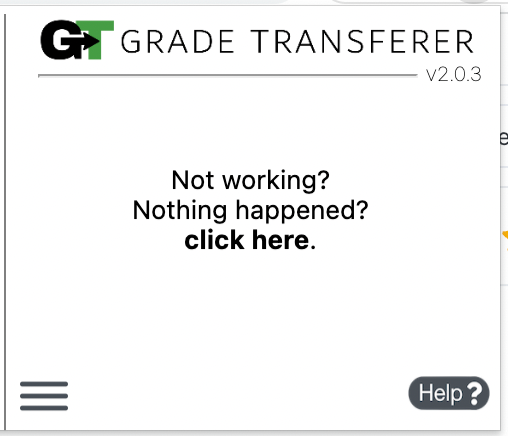
Click the "Not working? Nothing Happened? click here." button that appears after clicking the green 'Grab Data' button.
If that doesn't work, navigate to "chrome://restart"

If you're still having trouble at this point, right-click the GT icon in your toolbar and select "Remove from Chrome" and then re-add it fresh again from the Chrome Web Store.


