

Grabbing From ZipGrade
Platform Overview
GradeTransferer can grab scores from your ZipGrade quizzes! This allows you to effortlessly transfer your grades into your supported district gradebook. Watch the video tutorial and keep reading for step by step directions and troubleshooting tips.
Grabbing
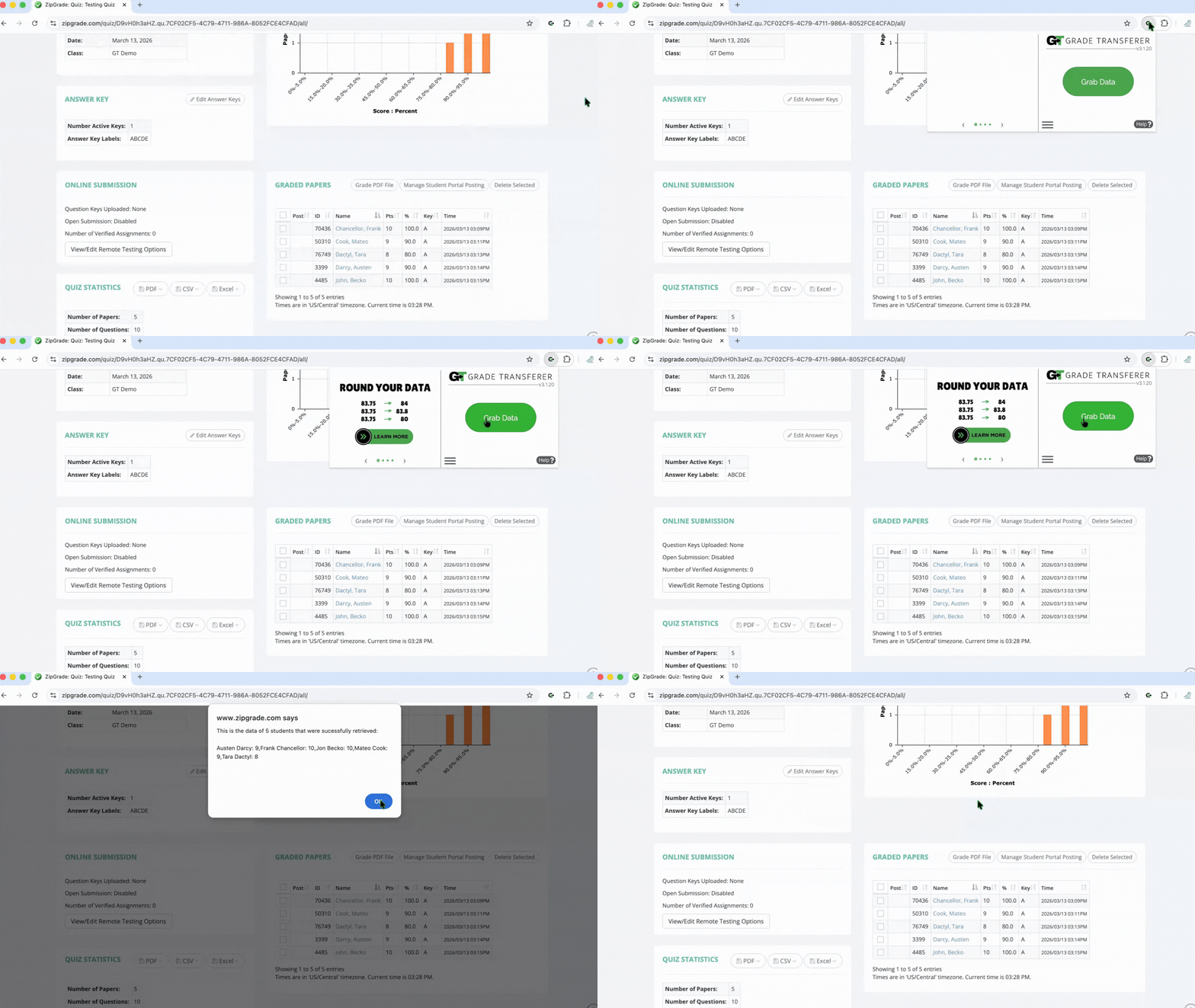
Navigate to the quiz you want to grab from in the Quizzes area.
Click the big, green 'Grab Data' button in the GT extension.
The students names and grades from the "Pts" column will be retrieved automatically.
Note: Student names must be populated in the name column as typed text. If student names are images of handwritten text, GradeTransferer will show Error 13. Typed student names are populated when students have set IDs mapped in the ZipGrade system.
Check the popup summary to see what was grabbed before filling into your next gradebook.
Tip: If you want to transfer grades as a percent, use GT's scaling feature.
Tip: If you want to round grades before transferring, use GT's rounding feature.
Troubleshooting
Grabbing issues?
Make sure you have opened a quiz in the Quizzes section of ZipGrade before grabbing.
Under the Graded Papers section of the Quiz, make sure student names are showing as typed text in the name column, not handwritten images. Typed student names are populated when students have set IDs mapped in the ZipGrade system. Pictures of handwritten names will cause GT to show Error 13.
Receiving an error message? Find the associated help article in our Troubleshooting Area.
Grades not filling into your next gradebook?
Do the rosters match? Check to see if the names on the page in ZipGrade look the same as they do from where you're trying to 'fill'. You can look at the pop-up summary or in the briefcase to see what's been grabbed.
If you've got the right class, look more closely at the student names to see if there are naming discrepancies, like typos, middle names, or other formatting issues. To fix name discrepancies, go to the Advanced Settings within GradeTransferer and use the Pattern Remover or the Name Discrepancy Fixer to teach GradeTransferer how the names should be recognized.
🎯 Remember to always review transfers for accuracy and completion. The GradeTransferer service can significantly speed up the transfer process and cut down on errors. However, just as with manual grading, it is the teacher's responsibility to verify that grades are correct within their gradebook.


